
Home automation is no longer just about comfort. It can make your home harder to break into and cheaper to run. The smart home market is growing fast, with one estimate putting it at about $164 billion in 2026. Security is a big reason: more homes now use alarms, cameras, and app-based control. Even small changes help because most break-ins are quick and look for easy targets.
- A door that auto-locks removes a common mistake
- Lights on a timer reduce “empty house” signals
- Energy tools lower waste when you’re not home
Below are practical ideas that focus on security and efficiency, using simple setups you can build step by step.
Smart Locks That Think
A smart lock boosts security by removing the “did I lock it?” moment. Many models let you lock from your phone, auto-lock after a set time, and create unique codes for guests or workers. That means you can stop sharing spare keys, and you can delete a code anytime. For efficiency, codes also reduce the need for rushed trips back home.
- Set auto-lock for 30–60 seconds after closing
- Create a code that works only 9 am–5 pm for helpers
- Get alerts when the door opens during school hours
Pair the lock with a door sensor so you also know if the door is left open, not just unlocked.
Video Doorbells with Clear Proof
A video doorbell helps you verify who is at the door without opening it. It also records clips that can support police reports or insurance claims. Many systems let you set “activity zones,” so you only get alerts for your porch area, reducing false alarms and saving battery. In the U.S., the FBI reported about 5,986,400 property crime offenses in 2024, so basic recording and alerts are not a small upgrade.
- Use motion zones to ignore street traffic
- Turn on package alerts during delivery hours
- Set a “quiet time” schedule for night notifications
For efficiency, link it to smart lighting so your porch light turns on only when motion is detected.
Cameras And Motion Done Right
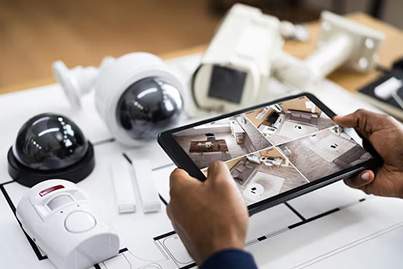
Indoor and outdoor cameras work best when paired with motion sensors. Cameras give you video, while sensors give faster triggers and fewer false alerts. Place sensors where people must pass: front path, driveway, back gate, and main hallway. A simple rule is “detect first, record second.” A report on U.S. security system use noted large adoption, and it highlights that cameras are a common feature in home setups.
- Put outdoor motion at chest height, not near the ground
- Aim cameras away from direct sunlight to reduce glare
- Use “person detection” where supported
For efficiency, set cameras to lower quality when you’re home and higher quality when you’re away, saving bandwidth and storage.
Lighting That Saves and Protects
Smart lighting is both a security tool and an energy saver. Burglars often avoid well-lit homes, and timed lights can make a house look lived-in. For energy, switch key bulbs to LED and automate them. The U.S. Department of Energy notes that LEDs use at least 75% less energy and can last up to 25 times longer than incandescent bulbs.
- Use motion lighting in hallways, garage, and stairs
- Set “sunset to bedtime” schedules for outdoor lights
- Add dimming after 11 pm to cut power use
Keep it simple: automate only the lights you forget most often. That’s where the savings and safety wins show up first.
Thermostats That Follow Your Life
Heating and cooling are a major part of home energy use, so thermostat automation matters. ENERGY STAR says homes with higher heating and cooling bills can save around $100 per year using an ENERGY STAR-certified smart thermostat. Their program also cites average savings of around 8% of heating and cooling costs (often listed as about $50 per year).
- Use geofencing to reduce heating/cooling when nobody is home
- Set sleep schedules to avoid over-cooling at night
- Use “eco mode” during work hours
For security, a stable temperature also protects pets, electronics, and even some materials in storage areas. Good automation is not extreme changes—it’s steady control based on real occupancy.
Smart Plugs and Standby Waste
Many devices pull power even when “off.” Lawrence Berkeley National Laboratory explains standby power as electricity used when devices are not doing their main job. In one whole-house study, total standby power across 10 homes ranged from 14 to 169 watts, averaging 67 watts. That can add up over a year. Smart plugs and smart power strips help by cutting power on a schedule or when you leave.
- Shut off the TV and game gear overnight automatically
- Turn off the printer and office setup after work hours
- Schedule chargers to stop at 2–3 am
For security, you can also use plugs to power lights or radios on routines that mimic real activity.
Sensors For Fire and Water
Security is not only about break-ins. Smoke, CO, and leak sensors protect your home from costly damage. A water leak under a sink can waste water for hours before you notice, and a small drip can damage cabinets and floors. Place leak sensors under sinks, behind toilets, near the water heater, and by the washing machine. Link them to a smart shutoff valve if your budget allows.
- Put leak sensors where hoses and valves exist
- Use smoke/CO alerts that call your phone
- Add a temperature sensor near pipes in cold areas
For efficiency, these tools reduce waste and prevent repairs that cost far more than the sensors themselves.
Secure Your Home Network
Smart devices are only as safe as the network they use. A basic router setup can reduce risk without tech-heavy steps. Start by separating devices: put smart gadgets on a guest network or a separate Wi-Fi name if your router supports it. Use strong passwords and turn on auto-updates.
- Change default device passwords right away.
- Turn on WPA2 or WPA3 Wi-Fi security
- Update firmware monthly, or set auto-update
This is also an efficiency move: a stable network means fewer disconnects, fewer repeated alerts, and fewer “device offline” problems that make automation unreliable. Think of the network as the foundation that keeps security tools dependable.
Routines That Look Real
Automation works best when devices act together. Build “modes” like Away, Night, and Vacation. In Away mode, lock doors, arm sensors, adjust the thermostat, and run a few lights in a natural pattern. For Vacation mode, avoid a perfect schedule; random timing looks more human.
- Use presence simulation: lights on in different rooms
- Run porch light + camera spotlight only on motion
- Pause indoor camera alerts when you’re home
One more tip: keep manual control easy. If routines are hard to override, people stop using them. A single button in an app (or one voice command) should switch modes without fuss.
Simple Steps, Big Results
Home automation improves security when it removes weak habits: unlocked doors, dark entryways, and no proof of activity. It improves efficiency when it trims wasted heating, lighting, and standby power. Start small, test one routine at a time, and expand only when the setup feels dependable.
- Begin with locks + door sensor.
- Add a video doorbell + outdoor motion light.
- Finish with thermostat schedules and smart plugs.
Over time, these changes can lower bills and reduce risk without making daily life harder. If you want help choosing and setting up the right devices for your home, reach out to Alarms 4 Less.